
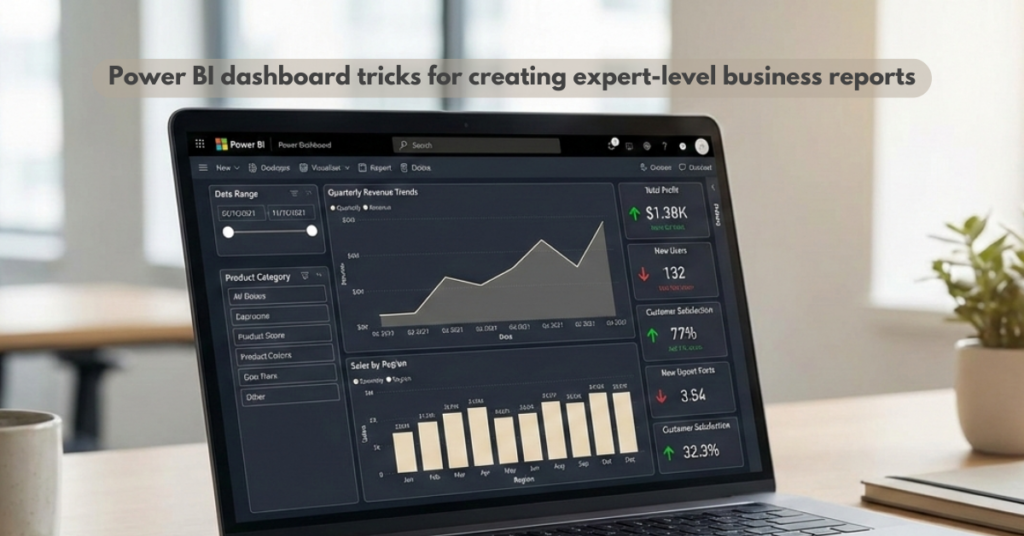
Have you ever opened a Power BI report and instantly felt confident in the story it was telling? That confidence rarely comes from data alone—it comes from how the dashboard is designed. Power BI dashboard tricks separate average reports from expert-level analytics that decision-makers trust. In today’s data-driven world, presentation is as critical as accuracy.
Many professionals know how to build reports, yet struggle to make them intuitive, engaging, and actionable. That is where mastering Power BI dashboard tricks becomes essential. When dashboards guide users naturally, insights become clearer and decisions become faster.
In this blog, you will learn practical Power BI dashboard tricks, advanced design techniques, and proven best practices that help you create reports that look professional and deliver real business value.
Importance of Power BI Dashboard Tricks
Effective dashboards do more than display numbers—they tell a story. Power BI dashboard tricks help transform raw datasets into meaningful insights that business leaders can quickly understand. Without thoughtful design, even the most accurate data can feel overwhelming or confusing.
In real-world scenarios, executives often have limited time to review reports. A well-structured dashboard highlights key metrics instantly, while poor layouts force users to search for answers. This is why Power BI dashboard tricks play a critical role in modern analytics teams.
Using features like dynamic visuals, conditional formatting, and intuitive navigation improves user experience significantly. These Power BI dashboard tricks also reduce misinterpretation, helping teams align faster on decisions. When applied correctly, dashboards become tools for action, not just observation.
Why Advanced Power BI Dashboard Techniques Matter
Advanced Power BI dashboard techniques help professionals move beyond basic charts and tables. These techniques enable dashboards to adapt to user behavior, business goals, and evolving datasets. As organizations grow, reporting needs become more complex, demanding smarter solutions.
Features such as drill-through pages, dynamic slicers, and custom tooltips allow users to explore insights independently. This reduces dependency on analysts while increasing trust in the data. Advanced Power BI dashboard techniques also improve performance by optimizing visuals and calculations.
Professionals learning through a structured Microsoft Power BI course or Power BI training online often gain hands-on exposure to these techniques. Global learning platforms make these skills accessible worldwide, allowing learners to practice real business use cases. Advanced skills ensure your dashboards remain relevant, scalable, and impactful.
How to Find the Right Power BI Training and Experts
Learning Power BI effectively requires guidance from experienced professionals who understand real-world analytics challenges. The right mentors help you apply Power BI dashboard best practices, not just theoretical concepts. This becomes especially important when working with enterprise-level data.
Many learners search for Power BI training online to gain flexibility and global access. Reputable platforms offer structured learning paths, expert-led sessions, and practical projects. If you are searching for the best Power BI training near me or a qualified Power BI expert globally, online programs provide consistent quality.
For those looking to strengthen analytics foundations alongside reporting, combining Power BI skills with broader data knowledge is beneficial. You can explore structured learning through Global Teq’s Data Analytics Course:
https://www.global-teq.com/data-analytics-course/
Where to Get Reliable Power BI Learning Resources
Reliable learning resources ensure you develop skills aligned with current industry standards. Authentic platforms focus on practical dashboards, real datasets, and Power BI dashboard best practices used in business environments. This avoids outdated or surface-level learning.
Trusted online platforms offer Power BI training online with global accessibility and updated content. They also integrate Power BI with related tools like Azure, helping learners understand end-to-end data workflows. This broader exposure enhances dashboard design and data modeling skills.
For learners interested in cloud-integrated analytics, exploring Azure-based data programs adds long-term value. You can learn more through Global Teq’s cloud-focused offerings:
- Cloud Computing Training Courses: https://www.global-teq.com/cloud-computing-training-courses/
- Azure Data Engineering Course: https://www.global-teq.com/azure-data-engineering-course/
These resources help you design dashboards backed by scalable, enterprise-grade data systems.
Turning Dashboards into Decision Tools
Mastering Power BI dashboard tricks is about more than visual appeal—it is about clarity, confidence, and impact. When dashboards are designed with purpose, they empower users to act on insights quickly and accurately. This is what separates expert-level reports from basic visuals.
As you apply advanced Power BI dashboard techniques and best practices, your reports will start telling stronger stories. Over time, this skill builds credibility and opens doors to advanced analytics roles. Learning continuously and practicing with real-world data makes the difference.
If you are ready to deepen your skills and create dashboards that truly stand out, explore Global Teq’s Microsoft Power BI Training:
https://www.global-teq.com/microsoft-power-bi-training/
For personalized guidance or queries, connect with the team here:
https://www.global-teq.com/contact-us/
FAQs
1. What are Power BI dashboard tricks used for?
Power BI dashboard tricks improve clarity, usability, and storytelling in reports for better decision-making.
2. Are advanced Power BI dashboard techniques hard to learn?
They are manageable with structured practice and real-world examples, especially through guided learning.
3. Why are Power BI dashboard best practices important?
Best practices ensure dashboards are scalable, accurate, and easy for users to understand.
4. Can Power BI training online help beginners and professionals?
Yes, online training supports learners at all levels with flexible and practical learning paths.
5. How long does it take to create expert-level Power BI dashboards?
With consistent practice, professionals can see significant improvement within a few months.
Start applying these Power BI dashboard tricks today and transform how your reports communicate insights. Explore expert-led learning with Global Teq and take your analytics skills to the next level.


